The Budget Template Built for Income That Changes Every Month
For freelancers, gig workers, Uber drivers, contractors — anyone whose paycheck isn't predictable. Quarterly tax calculator, expense tracker, income smoothing. Setup in 10 minutes.
For freelancers, gig workers, Uber drivers, contractors — anyone whose paycheck isn't predictable. Quarterly tax calculator, expense tracker, income smoothing. Setup in 10 minutes.
You drove Uber all weekend and made $800. Next week? $200. Your freelance client paid $5,000 — but nothing's coming in for 6 weeks. And quarterly taxes are due in April.
Traditional budget templates assume steady paychecks. But gig workers, freelancers, and contractors have income that swings wildly month to month.
You forgot to set aside 25-30% for taxes. Now you owe $4,000 and have $800 in your account.
Was that coffee business or personal? You have no idea what's tax deductible anymore.
One slow month and you're scrambling. You need 3-6 months saved but don't know how to build it with irregular income.
You've tried Excel, Google Sheets, even apps. But nothing sticks because they're not built for irregular income from gig work, freelancing, or contracting.
How much should you save? What's a "good" month? Without benchmarks, you're flying blind with no idea if you're on track.

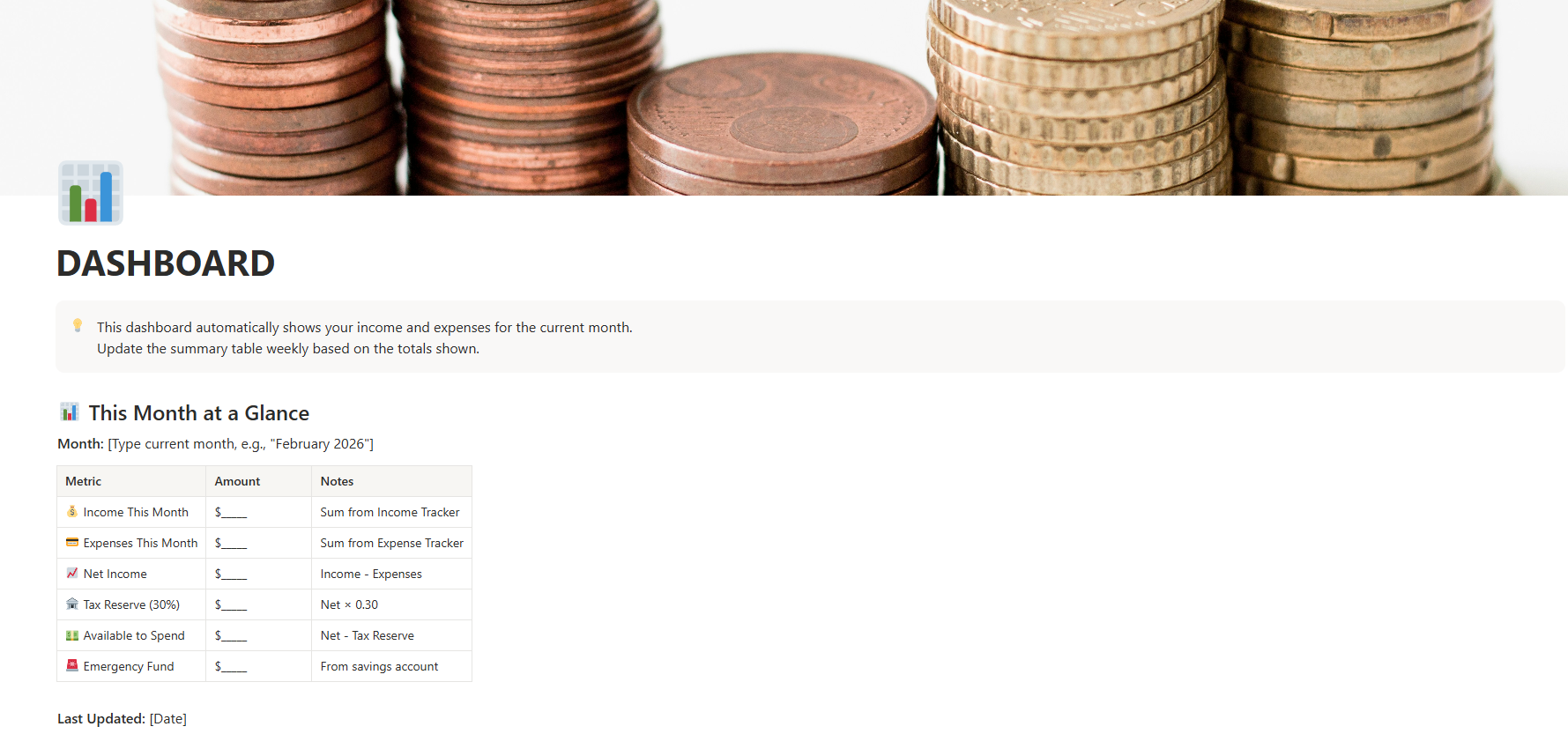
See this month's income and expenses at a glance. Auto-calculating totals. No manual spreadsheet updates.

Track every client payment, project, and status (Expected, Received, Overdue). Perfect for managing multiple income streams.

Categorize expenses, flag tax-deductible items, separate business from personal. Tax time becomes easy.

Calculate your "safe" monthly budget based on your LOWEST earning months, not your best. No more overspending in good months.

Set aside 25-30% automatically. Track quarterly deadlines (April, June, September, January). Never panic at tax time again.

Build 3-6 months of expenses systematically. Visual progress tracking. Monthly contribution goals.
Click the duplicate link (delivered instantly after purchase). One click and the template is in your Notion workspace. Takes 30 seconds.
Follow the built-in guide. Enter your last 6 months of income (or start fresh). Set your tax rate (25-30%). Done.
Log income when you get paid (2 minutes). Log expenses as you spend (1 minute). Review monthly to stay on track. That's it.
"First time in 3 years I actually know how much I can safely spend each month. The tax calculator alone saved me $800 in penalties."
"Setup took 10 minutes like they said. I've tracked everything for 2 months now and finally have an emergency fund growing."
"Wish I'd found this years ago. So much less stressful managing multiple clients and income streams now."
Secure checkout via Gumroad
An irregular income budget template is a financial tracking system designed for people whose paychecks aren't predictable — gig workers, freelancers, Uber drivers, DoorDash couriers, contractors, and commission-based workers. Unlike regular budgets that assume steady income, this Notion template handles income peaks and valleys, calculates quarterly tax reserves, and builds emergency funds.
The key to budgeting with variable income is calculating your "safe" monthly budget based on your lowest earning months (not your average). This template includes an income smoothing calculator that analyzes 6-12 months of income history and tells you exactly how much you can safely spend each month, whether you're driving Uber, freelancing, or doing contract work.
Yes! This freelance budget template works perfectly with Notion's free personal plan. You don't need Notion Plus, Business, or Enterprise to use it.
Most freelancers should set aside 25-30% of gross income for taxes (federal, state, and self-employment tax). This template includes an automatic tax calculator that calculates 30% of your income and tracks your tax reserve balance. It also includes quarterly tax deadlines (April 15, June 15, September 15, January 15).
Absolutely! The income tracker lets you categorize income by type (Freelance, Side Hustle, Passive Income, etc.) and by client/project. Perfect for freelancers juggling multiple clients, side projects, affiliate income, or passive revenue streams.
Yes! Everything in the Notion template is fully editable. Add custom categories, remove sections you don't need, change colors, add new databases - make it yours. The template is a starting point you can customize to match your workflow.
Regular budget templates assume steady biweekly paychecks. This freelance budget template is built for irregular income. It includes features specifically for freelancers: safe budget calculator for varying income, tax reserve tracking, business vs personal expense separation, and emergency fund building strategies for unpredictable income.
Initial setup takes about 10 minutes. You'll duplicate the template to your Notion workspace (30 seconds), enter your basic info and recent income/expenses (8 minutes), and you're ready to go. The template includes sample data showing exactly how everything works.
Yes! 30-day money-back guarantee. If the template doesn't help you budget better, email within 30 days for a full refund, no questions asked.
Yes! The template works with any currency (USD, EUR, GBP, CAD, AUD, etc.). Just adjust the tax percentage to match your country's tax rates. The budgeting principles work for freelancers worldwide.